See
Complaint? Play the trip back.
Every trip can be played back, with everything the car reported along the way. Not as a film, but as a map with a time bar, point by point.
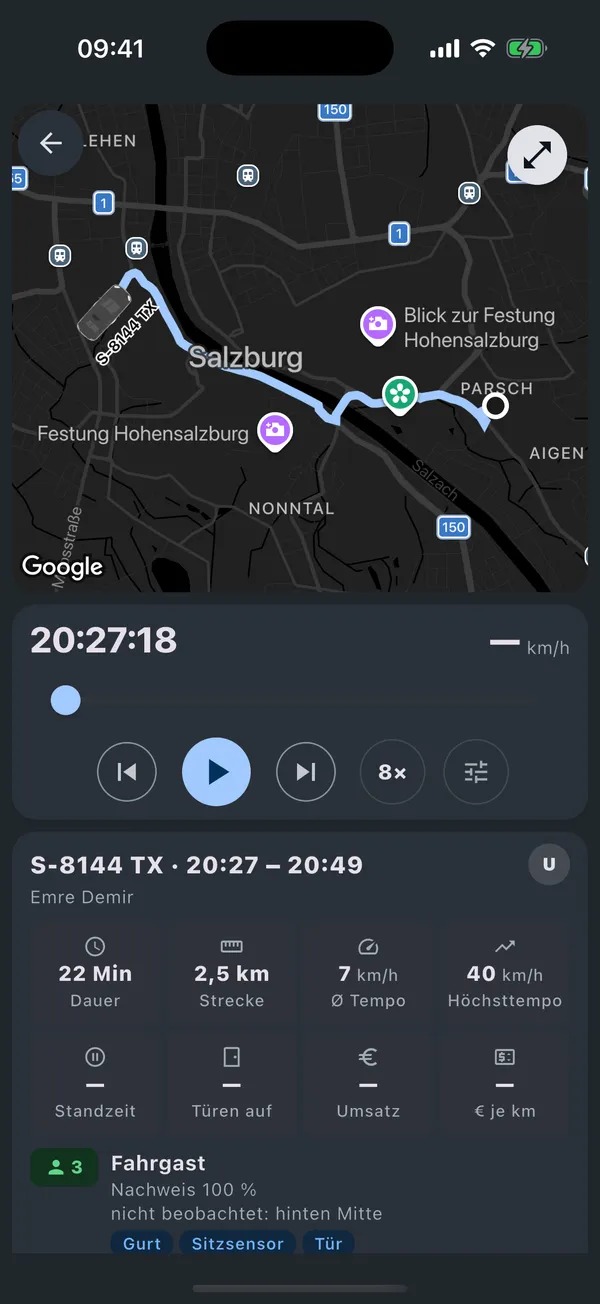
- event types in five families on the trip page
- 36
The problem
- A customer complains about a detour. One word against another.
- A traffic ticket arrives three weeks later. Who drove at 23:14?
- You want to know what really happened between two stops.
How it works
- 01
Open the trip
The route appears immediately. During playback the raw points are added, with slider, speed curve and jump to the next event.
- 02
Read the events
Five families: passenger (boarding, belt, seat), billing (taximeter, platform, private), driving (braking, cornering, door while driving), vehicle (ignition, warning light, refuelling, data gap), assignment (driver change). What falls within 20 seconds and 50 metres becomes one point with “+n”.
- 03
See the whole day
The day view shows all routes of a car on a 24-hour bar. Traffic tickets and appointments jump straight to the moment.
What it does not do
- For seat sensor per seat, refuelling and driver change there is no separate data source in the replay yet.
- The stop search “who stood at this address when” runs in the admin area today; in the app it is planned.
- The web app cannot replay yet.
Questions
How far back can I replay?
Trips stay stored with their route; the stop search goes back 30 days.
How fast is the playback?
Single, four times, eight times, twenty times, fifty times.
Can I show the trip to the customer?
You can show the map and the timeline on screen. An export as a file is not part of this feature.
Let us show you on your own cars.
Half an hour, no obligation. You see the app with real data and get a quote for your fleet.